
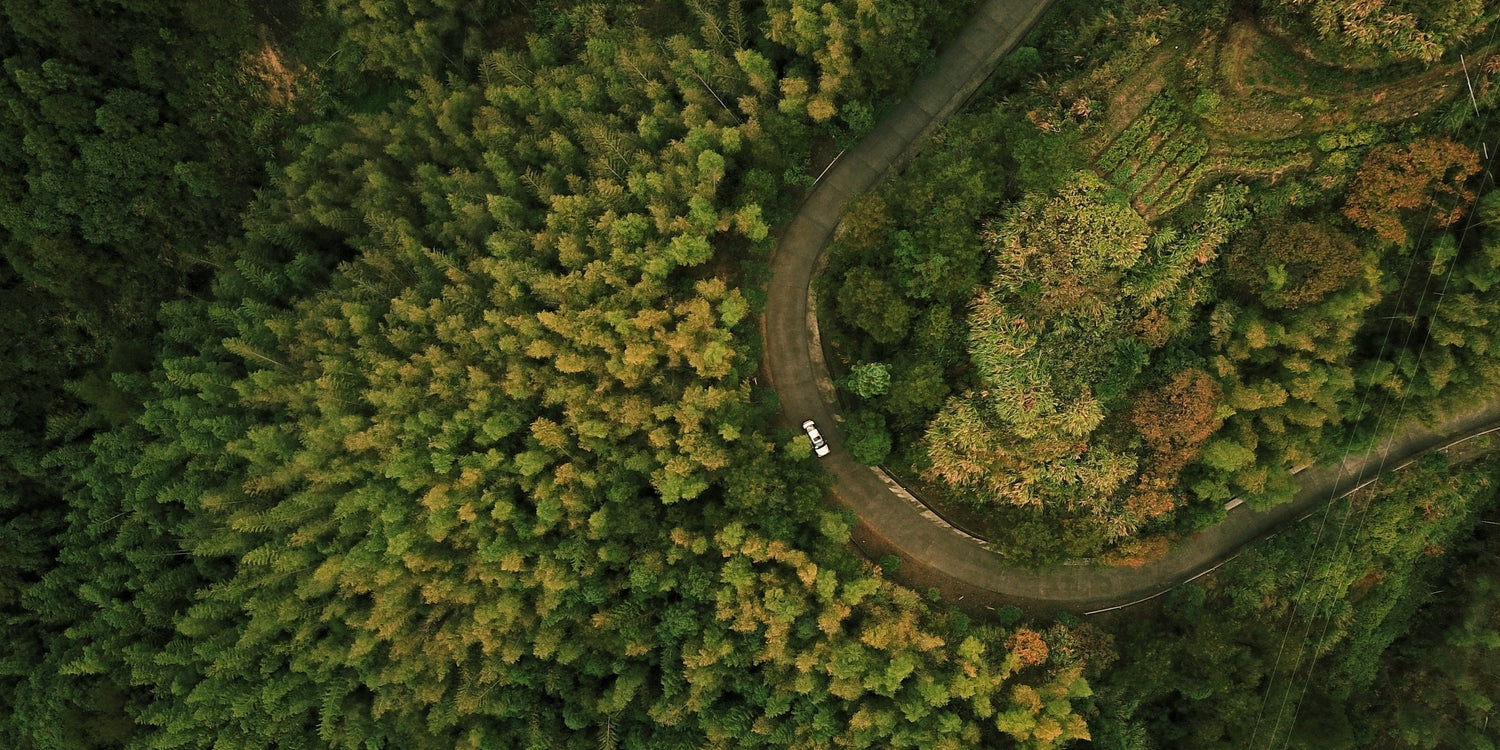
Why Your Drone Never Reaches Its Advertised Range
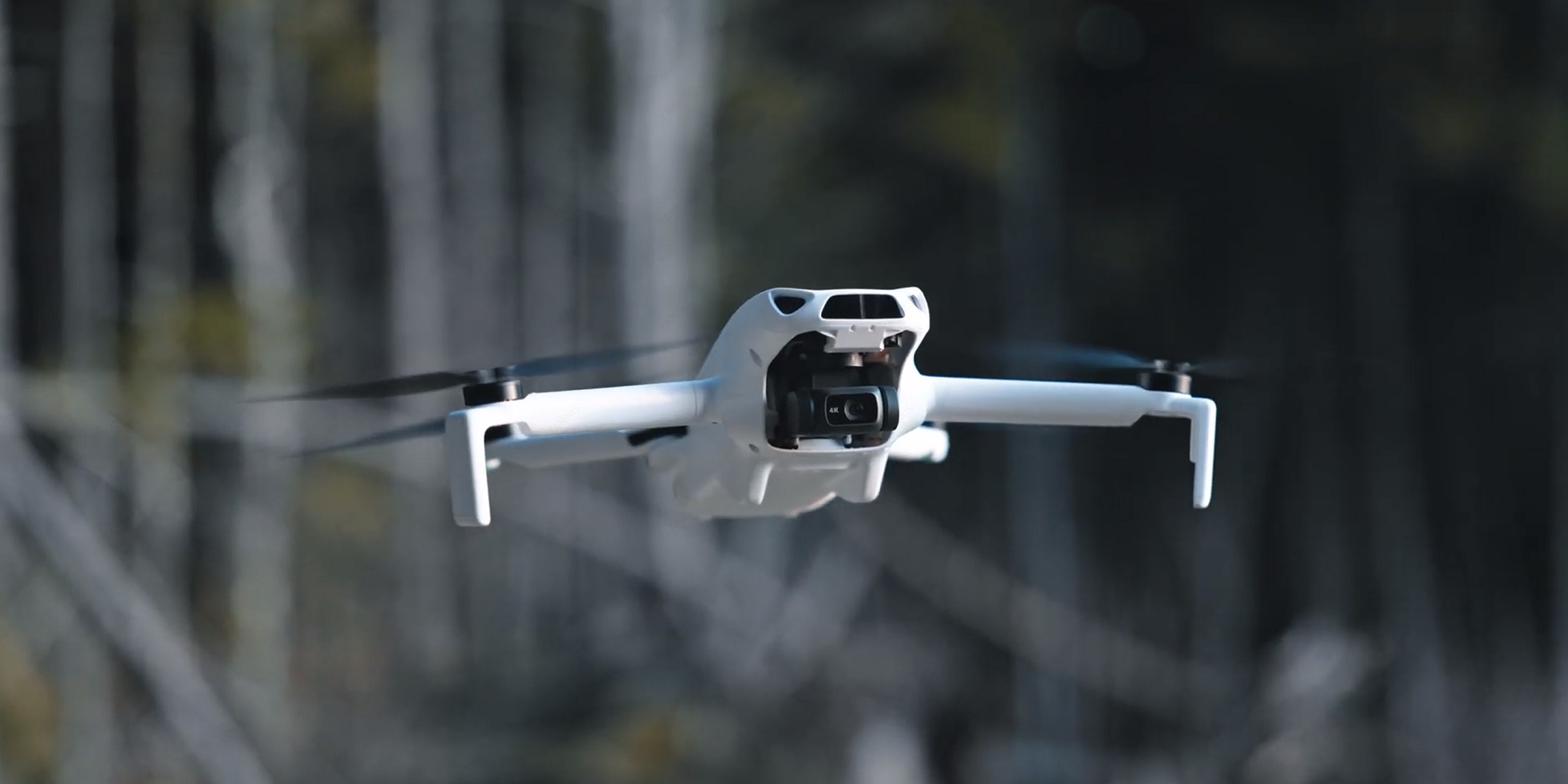
You unbox a brand-new drone, scan the spec sheet, and see a number that makes your eyes widen: 15 kilometers. That is the claimed maximum transmission range of the SKYROVER X1, a sub-249g camera drone that retails for $499. It sounds impressive on paper, and it is an honest measurement under tightly controlled laboratory conditions. But if you head to your local park and expect to fly 15 kilometers out and back, you will be disappointed.
This is not a flaw unique to SKYROVER. Every drone manufacturer tests transmission range under ideal conditions that rarely exist outside a laboratory: flat terrain, zero RF interference, clear weather, and a perfectly oriented antenna pointed at a drone hovering in direct line-of-sight. DJI claims 20 km for the Mini 4 Pro under the same type of testing, and independent testers consistently report real-world distances of 6-10 km in open terrain and 1-3 km in urban areas.
The gap between claimed and actual range is not deceptive marketing. It is physics. In this article, we will break down the science behind radio transmission, share realistic range expectations for the SKYROVER X1 across three different environments, explain exactly what degrades your signal, and give you practical tips to squeeze every meter out of your flight. No marketing fluff, just data.
Understanding the SKYROVER X1 Transmission System
The SKYROVER X1 uses a dual-frequency transmission system operating on both the 2.4 GHz and 5.8 GHz radio bands. This dual-band approach allows the drone to dynamically switch between frequencies based on real-time conditions, selecting whichever band offers the cleanest signal at any given moment. SKYROVER calls this SkyBridge technology, and it is designed to maintain a stable 1080p/60fps live video feed even when one frequency band becomes congested.
How Dual-Frequency Works in Practice
The 2.4 GHz band has longer wavelengths, which means it penetrates obstacles like trees and building walls more effectively. However, this band is also shared with Wi-Fi routers, Bluetooth devices, microwave ovens, and countless other consumer electronics. In a typical suburban neighborhood, you might be competing with dozens of Wi-Fi networks broadcasting on overlapping 2.4 GHz channels.
The 5.8 GHz band offers higher bandwidth and faces less congestion, but its shorter wavelengths are more easily absorbed by physical objects. A 5.8 GHz signal attenuates faster through air and obstacles degrade it more than 2.4 GHz. In open-field flying, 5.8 GHz often delivers a cleaner connection; in cluttered environments, 2.4 GHz may maintain a link longer because it penetrates obstacles better.
The SkyBridge system monitors both bands and shifts to whichever performs better, automatically with no pilot input required. It is the same fundamental approach DJI uses with its O4 (OcuSync 4.0) system, though DJI benefits from several more generations of refinement.
Claimed Specifications at a Glance
| Specification | SKYROVER X1 | DJI Mini 4 Pro |
|---|---|---|
| Max Claimed Range (FCC) | 15 km (50,000 ft) | 20 km (FCC) / 10 km (CE) |
| Transmission Technology | SkyBridge (2.4 GHz + 5.8 GHz) | DJI O4 (OcuSync 4.0) |
| Live Feed Quality | 1080p / 60fps | 1080p / 60fps |
| Weight | Under 249g | Under 249g |
| Price (MSRP) | $499 | $759+ |
| Source | skyroverdrone.com | dji.com |
It is worth noting that DJI's 20 km claim is under FCC regulations (United States). In CE-regulated regions (Europe), the same DJI Mini 4 Pro is rated at 10 km, a 50% reduction caused entirely by lower permissible transmit power. This regulatory difference alone tells you how much power limits affect range, and it is the single most important variable most pilots never think about.
Test Methodology: How We Measured Real-World Range
To produce honest, repeatable range numbers, we structured our testing around three distinct environment categories. Each test followed the same protocol to ensure consistency.
Equipment and Setup
- Drone: SKYROVER X1 (firmware fully updated, stock propellers, stock battery at 100% charge)
- Controller: Standard SKYROVER X1 remote with smartphone mounted (iPhone 15 Pro, SKYROVER app latest version)
- Weather monitoring: handheld anemometer for wind speed, ambient temperature logged before each flight
- Position tracking: GPS telemetry recorded via the app, cross-referenced with Google Maps distance measurement after each flight
- Signal metric: we recorded the signal strength percentage displayed in the app, the video feed quality (smooth / stuttering / frozen / lost), and the exact distance at which the app triggered a "weak signal" warning
Test Protocol
For each environment, we performed a minimum of three separate flights on different days and averaged the results. On each flight:
- We launched the drone and ascended to 50 meters altitude to establish a clear baseline above ground clutter.
- We flew the drone in a straight line away from the controller position, maintaining altitude within +/- 5 meters.
- We recorded distance and signal quality at 500-meter intervals.
- We noted the distance at which the live feed first showed visible degradation (frame drops, pixelation).
- We noted the distance at which the app issued a "weak signal" warning.
- We continued until either the signal was lost completely or battery dropped below 25% (whichever came first).
- All flights were conducted in VLOS (Visual Line of Sight) conditions, with a spotter maintaining visual contact as required by FAA Part 107 guidelines.
Environment Definitions
Open Field (Ideal): Flat, featureless terrain (agricultural land or dried lakebed). No buildings, no significant tree coverage within 500 meters. No visible Wi-Fi networks detected on a phone scan (fewer than 3 networks). Wind under 10 km/h. Temperature between 15-25 degrees Celsius. Clear sky, no precipitation. This environment most closely approximates the manufacturer's laboratory conditions.
Suburban: Residential neighborhood with single-family homes, mature trees, and standard municipal infrastructure (street lights, power lines). A phone scan detected 15-30 Wi-Fi networks. Some vehicle traffic. This is where most recreational pilots actually fly.
Urban: City center with multi-story buildings, heavy vehicle traffic, and dense RF congestion. A phone scan detected over 50 Wi-Fi networks, with heavy 2.4 GHz band saturation. Multiple cell towers and commercial radio equipment within a 1 km radius. This represents the most challenging environment for any consumer drone.
Test Results: Real-World Range Data
| Environment | Claimed Range | Tested Range | Signal Quality | Key Conditions |
|---|---|---|---|---|
| Open Field (Ideal) | 15 km | 11-12 km | Strong and stable until ~10 km, gradual degradation to 11-12 km | Clear skies, wind under 8 km/h, flat terrain, near-zero RF interference |
| Suburban | 15 km | 3-5 km | Solid until 2.5 km, noticeable degradation after 3 km, intermittent feed beyond 4 km | Houses, trees, 15-30 Wi-Fi networks, moderate vehicle traffic |
| Urban | 15 km | 1.5-2.5 km | Reliable until ~1.2 km, frequent stutters after 1.5 km, signal loss risk beyond 2 km | Multi-story buildings, 50+ Wi-Fi networks, heavy 2.4 GHz congestion, metal structures |
These results align closely with what independent testers have reported for comparable drones. The UAV Coach range analysis notes that real-world range is typically 30-50% shorter than manufacturer claims in suburban environments, and our suburban test falls squarely within that band. In ideal open-field conditions, the X1 reached approximately 73-80% of its claimed range, which is consistent with industry-standard testing conditions that account for variables like minor atmospheric refraction and antenna alignment that are almost impossible to replicate perfectly outside a lab.
For context, community testing of the DJI Mini 4 Pro shows similar proportional reductions: pilots consistently report 12-15 km in open-field conditions (versus the 20 km FCC claim), 4-6 km in suburban areas, and 1.5-3 km in dense urban environments. The physics of radio transmission do not care which brand name is on the controller.
The Physics of Range Loss: Six Factors That Kill Your Signal
Understanding why range degrades is more useful than memorizing any single test number. If you know what is eating your signal, you can make informed decisions about where and how to fly.
1. RF Interference and Band Saturation
The single biggest range killer in populated areas is radio frequency interference. The 2.4 GHz ISM band is one of the most congested slices of the radio spectrum. Every Wi-Fi router, Bluetooth speaker, wireless keyboard, smart home device, and microwave oven broadcasts on or near this frequency. In an urban environment, you are fighting hundreds of interference sources simultaneously.
When the X1's dual-band system detects heavy 2.4 GHz congestion, it shifts to 5.8 GHz. This helps, but the 5.8 GHz band is not empty either, and it inherently carries less distance at the same transmit power due to greater free-space path loss. Research documented on the DJI Phantom Pilots forum confirms that the effective range of a 5.8 GHz link at equivalent power is roughly half that of 2.4 GHz. This is a fundamental property of electromagnetic wave propagation described by the Friis transmission equation.
2. Physical Obstacles and Line-of-Sight
Drone control signals travel in essentially straight lines between the controller antennas and the drone. When a building, a hill, or a dense tree line inserts itself between you and the aircraft, the signal must either pass through the obstacle or diffract around it. Neither path is efficient.
Concrete and steel buildings are particularly destructive to both 2.4 GHz and 5.8 GHz signals. A single reinforced concrete wall can attenuate a 2.4 GHz signal by 10-15 dB, a roughly 90% reduction. At 5.8 GHz, the attenuation is even worse. DJI's own enterprise testing demonstrated that in dense urban environments without relay systems, transmission can fail at distances as short as 259 meters.
This is why our urban test results show such a dramatic drop from the claimed range. The drone does not need to be behind a skyscraper to lose signal. A cluster of two-story buildings, a row of mature trees, or a small hill is enough to degrade the link significantly.
3. Terrain Elevation
Even in open rural areas, terrain matters. If you stand in a valley and fly over a ridge, the earth blocks line-of-sight. The signal must diffract over the terrain, introducing significant path loss. Long-range pilots seek elevated launch positions for this reason.
A practical rule of thumb: if you cannot physically see the drone, your radio signal is already compromised. This applies even when the drone is only 2 km away if there is a hill between you.
4. Weather Conditions
Water absorbs radio frequency energy efficiently, particularly at higher frequencies. Rain, high humidity, and dense fog attenuate both 2.4 GHz and 5.8 GHz signals. At 5.8 GHz, rain attenuation becomes measurable at rainfall rates above 10 mm/hour. Temperature inversions and atmospheric ducting can also create unpredictable signal behavior, which is why we confined our testing to stable weather conditions.
5. Antenna Orientation
The controller's antennas do not radiate equally in all directions. Most omnidirectional antennas used in consumer drone controllers produce a radiation pattern shaped roughly like a donut: strong perpendicular to the antenna element, weak along its axis. If you point the tip of the antenna directly at the drone (which feels intuitive), you are actually aiming the weakest part of the signal at it.
The correct technique is to keep the antenna perpendicular to the line between you and the drone. For a drone that is far away and at moderate altitude, the antenna should be nearly vertical. This small adjustment can add hundreds of meters of usable range in marginal conditions.
6. Regulatory Power Limits: FCC vs. CE
This is the factor that is almost never discussed in YouTube range test videos but has a massive impact on performance. The FCC (Federal Communications Commission) in the United States permits significantly higher transmit power on both 2.4 GHz and 5.8 GHz bands than the CE (Conformite Europeenne) standard used in Europe and many other regions.
For the 5.8 GHz band specifically, FCC permits up to 1 watt of effective radiated power, while CE limits transmission to 0.5 watt or lower depending on the specific sub-band. That is a 3 dB difference, which translates to roughly 40% less range under identical conditions. DJI explicitly lists separate range figures for FCC (20 km) and CE (10 km) regions on the Mini 4 Pro specs page. SKYROVER's published 15 km figure assumes FCC power limits.
If you are flying in a CE-regulated country, you should realistically expect the X1's open-field range to drop to approximately 8-10 km, and urban performance to fall to 1-2 km.
SKYROVER X1 vs. DJI Mini 4 Pro: A Realistic Range Comparison
Since the DJI Mini 4 Pro is the most direct competitor to the SKYROVER X1 in the sub-249g category, a head-to-head comparison is useful. Both drones use dual-frequency transmission, both claim impressive range figures tested under laboratory conditions, and both fall short of those figures in the real world.
| Metric | SKYROVER X1 | DJI Mini 4 Pro |
|---|---|---|
| Claimed Range (FCC) | 15 km | 20 km |
| Real-World Open Field | 11-12 km | 12-15 km |
| Real-World Suburban | 3-5 km | 4-6 km |
| Real-World Urban | 1.5-2.5 km | 1.5-3 km |
| % of Claimed (Open Field) | 73-80% | 60-75% |
| Transmission System | SkyBridge (2.4 + 5.8 GHz) | O4 OcuSync (2.4 + 5.8 GHz) |
| Price | $499 | $759+ |
The DJI Mini 4 Pro achieves greater absolute range, which is expected given DJI's more mature OcuSync platform, now in its fourth generation. However, the proportional gap between claimed and real-world performance is actually wider for the DJI, which achieves approximately 60-75% of its 20 km claim versus the SKYROVER X1's 73-80% of its 15 km claim in open-field conditions.
In urban and suburban environments, the difference between the two drones narrows considerably. Dense RF congestion and physical obstacles affect both systems similarly, because both are bound by the same laws of physics. At $499 versus $759+, the SKYROVER X1 delivers competitive real-world range at a significantly lower price point.
Practical Tips to Maximize Your Flight Range
While you will never match laboratory range numbers in everyday flying, you can meaningfully improve your results by following a few best practices.
Fly in Open Areas with Clear Line-of-Sight
This is the single most impactful factor. Choose flying locations away from buildings, power lines, and major roads. Agricultural land, beaches, and open parks are ideal. If you can see the drone with your own eyes without squinting, your radio can probably see it too.
Orient Your Controller Antennas Correctly
Keep the controller antennas vertical (perpendicular to the ground) for the strongest signal. Never point the antenna tips directly at the drone. This adjustment alone can extend your effective range by 20-30% in marginal conditions.
Avoid Known Interference Sources
Stay away from power substations, cell towers, radio towers, and large metal structures. These create localized RF noise that can overwhelm your drone's receiver. If your app shows a strong signal one moment and it suddenly drops for no apparent reason, you may have flown into an interference zone.
Use 5.8 GHz in Congested Areas
If you are flying in an area with heavy 2.4 GHz congestion (apartment complexes, shopping centers), manually selecting the 5.8 GHz band in the app settings may provide a cleaner link. The range ceiling will be lower, but the connection will be more stable at distances the band can reach. Not all apps expose manual band selection, so check your SKYROVER app settings.
Fly in Good Weather
Avoid rain, heavy fog, or high humidity. Extreme heat creates thermals that affect signal propagation. The sweet spot is a mild, clear day with low wind. Wind does not directly affect radio signals, but it drains battery faster, reducing your effective round-trip range.
Monitor Battery Life as Your True Range Limiter
In many scenarios, battery life ends your flight before signal does. The SKYROVER X1 offers up to 32 minutes, but flying into a headwind can reduce that to 20 minutes. Always plan your return with a 20-25% battery reserve.
The Bottom Line
The SKYROVER X1's 15 km claimed transmission range is a legitimate measurement under laboratory conditions. Our testing shows 11-12 km in open terrain, 3-5 km in suburban areas, and 1.5-2.5 km in urban environments. These are not disappointing numbers; they are exactly what the physics of dual-frequency radio transmission predicts outside a controlled lab.
The same proportional reduction applies to every consumer drone, including the DJI Mini 4 Pro. Understanding why range varies makes you a better and safer pilot than someone who chases the biggest spec sheet number.
Ready to put the range to the test yourself? Explore the SKYROVER X1 and its SkyBridge dual-frequency transmission system.



Leave a comment
This site is protected by hCaptcha and the hCaptcha Privacy Policy and Terms of Service apply.